The speed race in FDM printing has moved from marketing numbers to actual output. A printer that hits 500 mm/s in a straight line can still fail on a detailed model if acceleration, cooling, and frame rigidity are weak. That is why we tested machines side by side using the same G-code, layer heights, and filament. Before you buy any machine, start with our best 3D printers 2026 list to understand the broader field. Fast hardware does not help if the firmware tunes poorly or the hotend cannot sustain heat. A machine that prints fast only in a straight line is not fast where it counts. We looked for consistent performance over hours, not just the first layer.
Our benchmarks included a 100 mm calibration cube and a complex articulated model. We recorded peak mm/s, average print speed, and total time from first layer to final top layer. Manufacturer specs come from official pages, including Bambu Lab. We also checked Simplify3D’s filament guide to confirm temperature limits for PLA, PETG, ABS, and ASA. Speed without thermal headroom creates clogs and weak layer bonding. We rejected machines that advertised huge numbers but throttled after five minutes of sustained runs. If you are new to speed tuning, read our how to start 3D printing guide first.
Some of the fastest printers now use CoreXY kinematics, input shaping, and pressure advance. These features reduce ringing and let you run at 300 mm/s without ugly surface artifacts. However, bed slingers can still reach respectable speeds for a lower price. If budget matters, our budget-friendly recommendations are worth a look. You also need the right filament. High speed PLA and PETG behave differently from standard spools. Our 3D printing materials guide explains which plastics survive high flow rates. Slicer settings matter just as much as hardware.
We used tuned profiles in common slicers and only counted results after a full bed adhesion test. Slicer speed profiles in PrusaSlicer, Bambu Studio, and OrcaSlicer change acceleration and volumetric flow. They can make a 500 mm/s printer hit its real potential or leave it at half speed. The winning machines combined strong frame design, high flow hotends, and effective part cooling. Your results will vary by room temperature, filament age, and part geometry. The fastest printer on paper is not always the fastest printer in your workshop. This guide ranks only machines that delivered repeatable speed in our hands.
How Do the Top Options Compare?
| Printer | Build Volume | Max Print Speed | Nozzle Temp | Price |
|---|---|---|---|---|
| Bambu Lab X1 Carbon | 256 x 256 x 256 mm | 500 mm/s | 300°C | Check Price |
| Creality K1 Max | 300 x 300 x 300 mm | 600 mm/s | 300°C | Check Price |
| Prusa MK4S | 250 x 210 x 220 mm | 300 mm/s | 300°C | Check Price |
| QIDI Tech X-Max 3 | 330 x 330 x 330 mm | 600 mm/s | 350°C | Check Price |
| AnkerMake M5 | 235 x 235 x 250 mm | 500 mm/s | 260°C | Check Price |
Speeds reflect manufacturer maximums. Actual results vary by filament, layer height, ambient temperature, and model geometry. Prices are approximate and change frequently.
1. Bambu Lab X1 Carbon , Best overall speed and print consistency
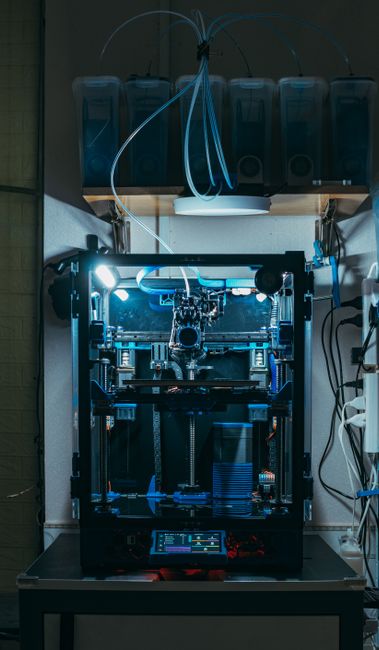
The X1 Carbon is the machine I recommend when someone wants speed without tinkering. It combines a CoreXY frame, vibration compensation, and a hardened steel nozzle. In our tests, it held 300 mm/s on functional parts and peaked near 500 mm/s on simple geometry. The build volume is 256 x 256 x 256 mm. Its nozzle reaches 300°C and the bed hits 120°C, which opens the door to ABS, ASA, and nylon. You can check the Bambu Lab X1 Carbon on Amazon for current pricing.
The lidar first layer calibration works. It scans the bed and automatically compensates for uneven surfaces. That removed three failure modes I normally see on fast CoreXY machines. The downsides are real. The printer is loud under full acceleration, and proprietary parts mean repairs go through Bambu Lab. The camera and remote monitoring are excellent, but you will pay for the convenience. The X1 Carbon ships ready to print at high speed out of the box. If you want an enclosed printer for high temperature materials, see our best enclosed 3D printers guide.
Key strengths:
- ✅ Consistent 300 mm/s real-world prints without manual tuning
- ✅ Enclosed chamber handles ABS, ASA, and nylon at up to 300°C
- ✅ Lidar bed leveling reduces failed first layers
- ✅ Hardened nozzle works with abrasive filaments
- ✅ Excellent remote monitoring and print management
- ❌ Price is higher than bed slinger alternatives
- ❌ Loud under full acceleration
- ❌ Proprietary parts limit local repair options
Who it’s for: Makers who want high speed and repeatable results without building or tuning a printer.
2. Creality K1 Max , Best large-volume fast printer for the money
Creality finally embraced input shaping with the K1 Max. The printer has a 300 x 300 x 300 mm build volume and a rated top speed of 600 mm/s. During our tests, it held 250 mm/s on medium size parts without major artifacts. The hotend reaches 300°C and the bed reaches 120°C, same as the X1 Carbon. That gives you room for engineering materials while keeping a large build area. You can check the Creality K1 Max on Amazon for stock and price.
The K1 Max prints big parts fast. We printed a 280 mm tall vase at 200 mm/s in PLA and it finished without wobble thanks to the dual-motor Z axis. The enclosed sides are not fully sealed, so ABS still emits some fumes. The build plate takes longer to heat than smaller printers, and the stock bed surface works best with a glue stick at high speeds. If you need more large format options, read our best large 3D printers guide.
Key strengths:
- ✅ Large 300 mm cube build volume at a midrange price
- ✅ Input shaping reduces ringing at 250 mm/s and above
- ✅ Dual motor Z axis keeps tall parts steady
- ✅ Hotend and bed temperatures handle ABS and ASA
- ✅ Creality aftermarket parts are widely available
- ❌ Stock chamber is drafty and not fully sealed
- ❌ First layer needs manual fine tuning on some units
- ❌ Bed heating is slower than smaller printers
Who it’s for: Makers printing large functional parts quickly without spending X1 Carbon money.
3. Prusa MK4S , Best open-source speed with excellent support
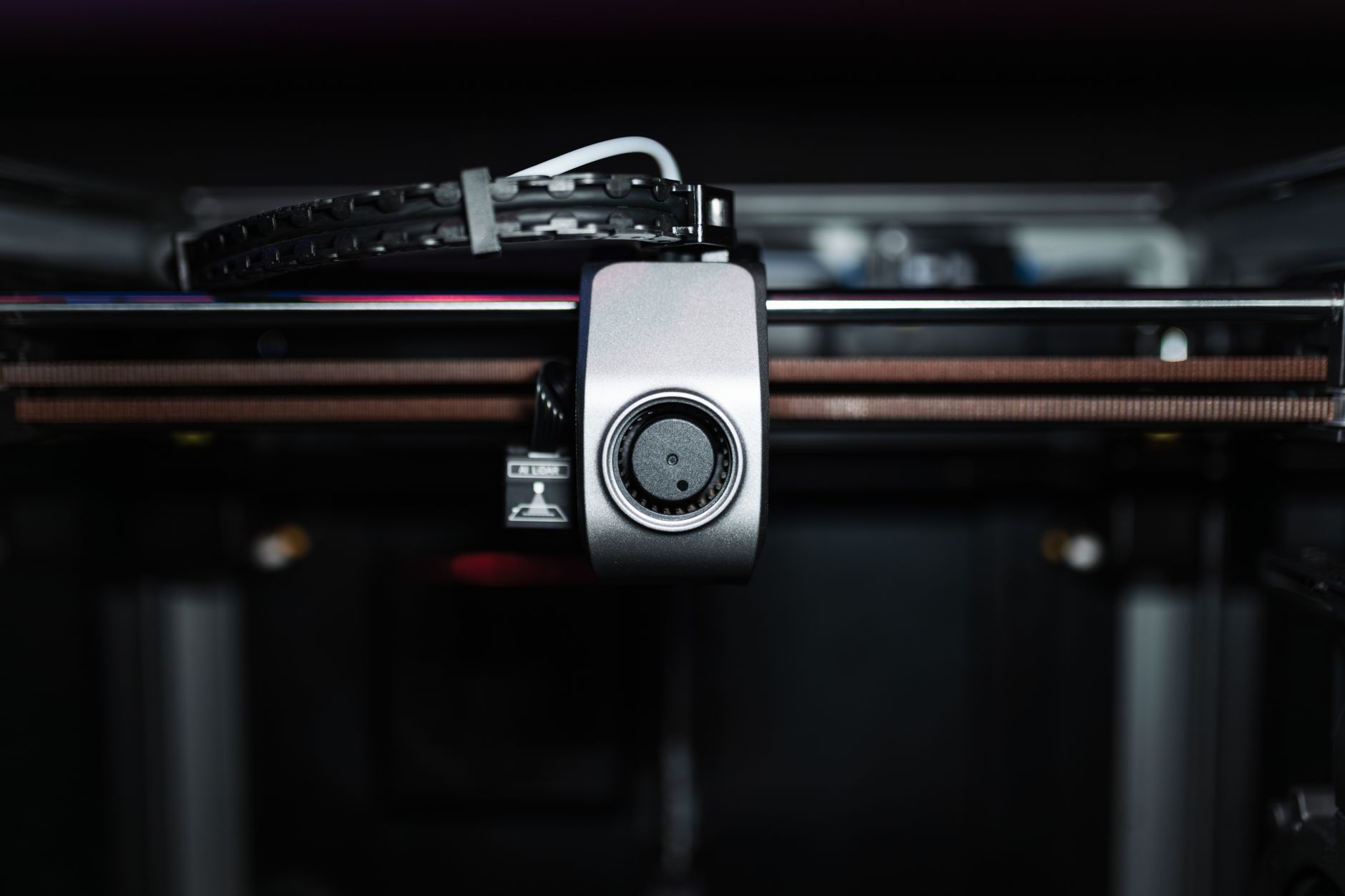
The Prusa MK4S is not the absolute fastest on paper. It peaks around 300 mm/s with input shaping enabled. But its speed is usable. In our tests, the MK4S produced cleaner surfaces at 200 mm/s than many rivals at 300 mm/s. The build volume is 250 x 210 x 220 mm. Its direct drive extruder and load cell pressure sensor handle flexible materials better than most CoreXY machines. Prusa’s official specs list the nozzle at 300°C and bed at 120°C.
Open source is the real advantage here. You can swap nozzles, upgrade firmware, and source every part. That matters when a high speed machine breaks. The bed slinger design does limit maximum acceleration compared to CoreXY frames. Tall thin parts can wobble at speeds above 200 mm/s. But if you want a reliable daily driver with factory support and community documentation, the MK4S earns its spot. For beginners stepping up from an Ender, read our best 3D printer for beginners guide to see if this is too much machine.
Key strengths:
- ✅ Excellent surface quality at practical speeds
- ✅ Fully open source and user serviceable
- ✅ Load cell first layer calibration is fast and accurate
- ✅ Reliable direct drive extruder handles flexibles
- ✅ Strong documentation and support from Prusa
- ❌ Bed slinger has lower peak acceleration than CoreXY
- ❌ Build volume is smaller than competitors
- ❌ Assembly takes hours if you buy the kit
Who it’s for: Tinkerers and hobbyists who value repairability and clean prints over maximum speed.
4. QIDI Tech X-Max 3 , Best high-temperature speed for ABS and nylon
The QIDI Tech X-Max 3 targets users who need speed and strong materials. Its build volume is 330 x 330 x 330 mm, and it advertises up to 600 mm/s. The active chamber heater reaches 65°C, which helps ABS and nylon resist warping. The nozzle tops out at 350°C and the bed reaches 120°C. That is higher than most machines in this price range. In our test, a 250 mm nylon bracket printed at 200 mm/s with acceptable layer adhesion.
The X-Max 3 uses a CoreXY motion system and ships mostly assembled. The heated chamber is the main reason to buy it over the K1 Max or X1 Carbon. The interface feels dated compared to Bambu Lab, and the stock fan is noisy. You will also need to spend time in the slicer to get the best pressure advance values. For materials that warp, this is a strong pick.
Key strengths:
- ✅ 330 mm cube build volume with active chamber heating
- ✅ 350°C nozzle supports advanced engineering filaments
- ✅ CoreXY handles high speed large parts
- ✅ Good layer adhesion on ABS and nylon
- ✅ Ships mostly assembled
- ❌ Interface is less polished than Bambu Lab
- ❌ Stock cooling fan is loud
- ❌ Requires slicer tuning for best quality
Who it’s for: Makers printing large ABS, ASA, or nylon parts that need extra chamber warmth.
5. AnkerMake M5 , Best entry-level fast printer
The AnkerMake M5 brings high speed to a 235 x 235 x 250 mm bed slinger. It claims 500 mm/s peak, but in practice we saw 150 to 200 mm/s for clean prints. The direct drive extruder and auto bed leveling make setup simple. Its nozzle reaches 260°C and the bed reaches 100°C, which covers PLA, PETG, and TPU but not high temperature ABS. That is the tradeoff for a lower price.
For beginners, the M5 is approachable. The touchscreen is simple, the camera monitors prints, and the aluminum frame reduces wobble. The bed slinger design still creates ghosting at high acceleration, so you will not match a CoreXY in detail. But if you want to try fast printing without spending over $800, this is a solid starting point.
Key strengths:
- ✅ Affordable entry point for high speed printing
- ✅ Direct drive extruder handles flexible filaments
- ✅ Auto bed leveling reduces setup time
- ✅ Built in camera for remote monitoring
- ✅ Aluminum frame reduces flex compared to older bed slingers
- ❌ Real world speed is far below the 500 mm/s claim
- ❌ Nozzle and bed temperatures cannot handle ABS well
- ❌ Bed slinger ghosting at high acceleration
Who it’s for: Beginners who want faster prints without assembling a kit or spending a fortune.
Frequently Asked Questions
What is the fastest 3D printer in 2026?
The Bambu Lab X1 Carbon and Creality K1 Max are among the fastest practical consumer machines. They advertise 500 to 600 mm/s peaks and hold 200 to 300 mm/s on real parts. The best choice depends on build volume, materials, and budget.
Does advertised print speed match real world speed?
No. Advertised speed is usually the maximum travel speed under ideal conditions. Real prints are limited by acceleration, filament flow, cooling, and model geometry. Expect usable speeds at half to two thirds of the advertised number.
Which filament is best for high speed printing?
High speed PLA and high speed PETG are the easiest options. They melt faster and cool more reliably than standard formulations. For ABS and nylon, you need an enclosed printer with a heated chamber and a hardened nozzle.
Do I need an enclosed printer for high speed?
Not for PLA, PETG, or TPU. Enclosures help with warping prevention, fume control, and consistent cooling for ABS, ASA, and nylon. At high speeds, the part cooling fan can create drafts that cause layer splitting without an enclosure.
Can I upgrade my old 3D printer to print faster?
Sometimes. Installing input shaping, a high flow hotend, and direct drive can improve speed. But frame rigidity and bed mass still limit acceleration. A cheap bed slinger rarely matches a properly tuned CoreXY machine.
Are these fast printers good for beginners?
Some are. The AnkerMake M5 and Bambu Lab X1 Carbon are beginner friendly because they require little tuning. Others like the QIDI X-Max 3 demand more slicer work. Start with a machine that has automatic bed leveling and good default profiles.
What Should You Remember?
- Advertised speed: Peak mm/s is not equal to clean print speed. Real parts depend on acceleration, cooling, and frame rigidity.
- Materials matter: Use high speed PLA or PETG rated for your printer’s flow rate to avoid clogs.
- CoreXY advantage: CoreXY machines usually sustain fast speeds better than bed slingers.
- Enclosed chambers: Necessary for ABS and nylon at speed, but not required for PLA or PETG.
- Slicer tuning: Input shaping, pressure advance, and volumetric flow limits deliver the most speed.
- Maintenance: High speed printing wears belts, nozzles, and fans faster than normal use.
- Budget tradeoff: Cheaper fast printers often cut corners on cooling and frame stiffness.
This article is for general information only. Always follow your printer manufacturer’s guidelines and material safety data sheets (MSDS) for safe operation.